Why Your GPU Is Being Bottlenecked (And How to Fix It)
- PRIME RIG TECH SOLUTIONS

- Apr 16
- 6 min read
Updated: Apr 30
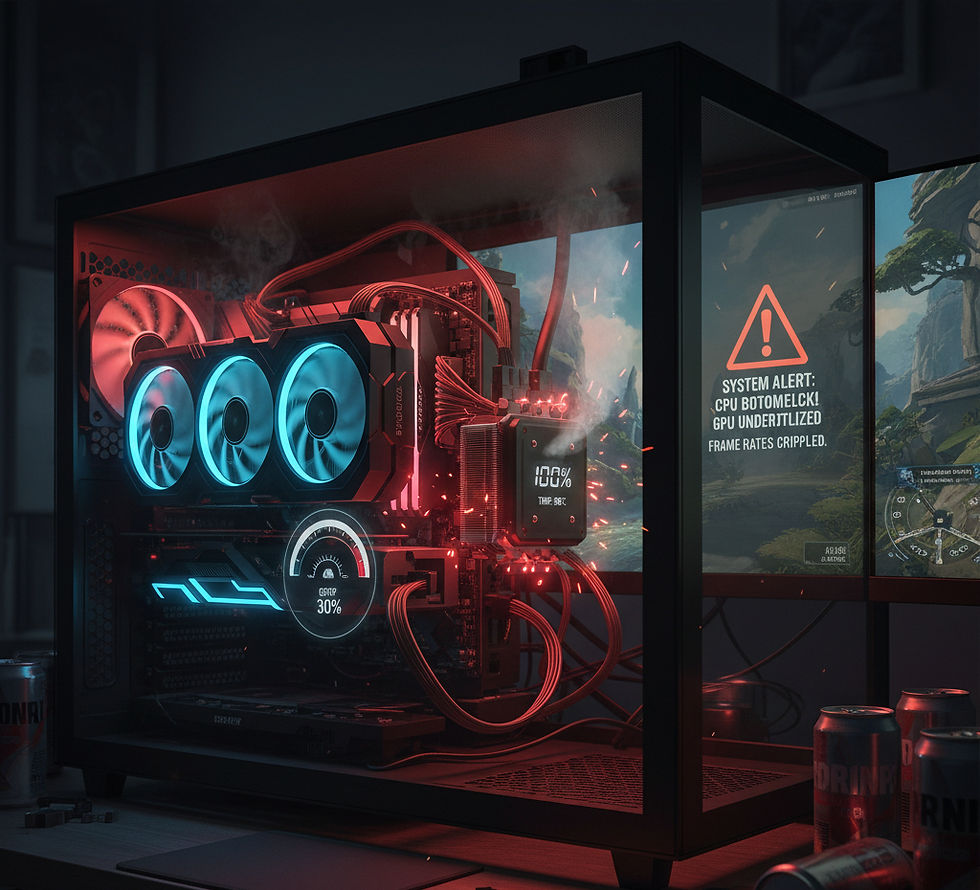
If you recently upgraded your graphics card but your games still don’t perform as well as expected, you might be experiencing a GPU bottleneck.
Many gamers assume that installing a powerful GPU automatically guarantees higher frame rates and smoother gameplay. However, gaming performance depends on how well every component in your system works together. When one component cannot keep up with the others, it limits the performance of the entire system.
This situation is known as a hardware bottleneck, and it can prevent your GPU from reaching its full potential. Even high-end graphics cards can struggle to deliver their expected performance if the rest of the system is not balanced properly.
For example, pairing a powerful GPU with an outdated processor, insufficient RAM, or poor cooling can significantly reduce performance. Instead of running at full capacity, your GPU may remain underutilized while waiting for other components to process data.
Understanding what causes GPU bottlenecks is important for anyone building or upgrading a gaming PC. By identifying the problem, you can make smarter upgrade decisions and ensure your system delivers the best possible gaming experience.
What Is a GPU Bottleneck?
A GPU bottleneck occurs when another component in your computer limits the performance of your graphics card.
In a balanced gaming system, the CPU, GPU, RAM, and storage work together to process game data efficiently. When one component is significantly slower than the others, it becomes the limiting factor in the system.
For example, if your CPU cannot process game logic fast enough, the GPU must wait for instructions before rendering frames. This results in lower GPU usage and reduced frame rates.
Many gamers notice this when monitoring system performance. GPU usage might stay around 60–70% instead of 95–100%, indicating that something else in the system is holding it back.
Gaming hardware benchmarks regularly show how system balance affects performance, with CPU limitations often reducing GPU utilization in certain titles. Performance testing from Tom’s Hardware highlights how processor capabilities can directly impact gaming frame rates depending on the game engine and workload.https://www.tomshardware.com/reviews/cpu-hierarchy,4312.html
Weak CPU Can Limit Your GPU
One of the most common causes of GPU bottlenecks is using a processor that is too weak for the graphics card.
Your CPU is responsible for processing tasks such as game physics, artificial intelligence, and background calculations. If it cannot complete these tasks quickly enough, the GPU will not receive data fast enough to render new frames.
This problem often occurs when gamers upgrade their GPU but keep an older CPU.
Choosing the right processor is critical when building a gaming PC, which is why many builders compare different CPU platforms before upgrading. Understanding the differences between Intel and AMD
processors for gaming can help you select the right platform for your system.https://www.primerigtechsolutions.com/post/intel-vs-amd-for-gaming-which-cpu-is-better
Selecting the right processor also depends on your performance goals and budget. Our guide explaining the best CPU for gaming in 2026 explores which processors provide the best balance of performance and value for modern gaming systems.https://www.primerigtechsolutions.com/post/best-cpu-for-gaming-in-2026-how-to-choose-the-right-processor
RAM Issues That Can Cause Bottlenecks
RAM is another component that can affect overall gaming performance.
Many modern games require significant memory to load textures, assets, and background processes. If your system does not have enough RAM, it may rely on slower storage, which can cause stuttering and lower performance.
Common RAM-related issues include:
using only 8GB of RAM
slow memory speeds
running single-channel RAM instead of dual-channel
Most modern gaming systems perform best with at least 16GB of RAM, while 32GB is recommended for heavy multitasking or streaming.
Memory technology has also evolved significantly in recent years, which is why many gamers compare DDR4 vs DDR5 for gaming performance when deciding which platform to build on.https://www.primerigtechsolutions.com/post/ddr4-vs-ddr5-for-gaming-is-ddr5-really-much-faster
Some builders also wonder whether older memory can still handle modern games. In many cases, strong gaming systems still run effectively on DDR4 memory, as explained in this guide discussing whether DDR4 can run games at max graphics settings.https://www.primerigtechsolutions.com/post/can-ddr4-run-games-at-max-graphics
Memory manufacturers also highlight the improvements introduced with newer RAM technologies, including higher bandwidth and faster speeds that can support modern CPUs and demanding workloads.https://www.crucial.com/articles/about-memory/ddr4-vs-ddr5
Thermal Throttling and Overheating
Heat is another factor that can significantly affect gaming performance.
When a CPU or GPU reaches high temperatures, the system automatically reduces clock speeds to protect the hardware. This process is called thermal throttling, and it can lower performance even if your hardware is powerful.
Common causes of overheating include:
poor airflow inside the PC case
dust buildup on cooling components
inadequate CPU or GPU cooling
degraded thermal paste
Improving airflow, cleaning your system regularly, and installing better cooling solutions can help maintain stable performance during long gaming sessions.
Incorrect Graphics Settings
Sometimes performance problems are not caused by hardware but by game settings.
Interestingly, extremely low graphics settings can sometimes create CPU bottlenecks. When the GPU finishes rendering frames too quickly, the system becomes limited by how fast the CPU can process game logic.
Increasing certain graphics settings can actually help balance system workload and improve GPU utilization.
Examples include:
increasing texture quality
increasing resolution
enabling GPU-heavy visual effects
These adjustments can shift more workload to the GPU, which may improve overall system balance.
Common Mistakes Gamers Make
One of the most common mistakes gamers make is upgrading only one component without considering the rest of the system.
Many players install a powerful graphics card but leave older components unchanged, which can lead to performance limitations.
Another mistake is ignoring motherboard compatibility and upgrade potential. Your motherboard determines which processors, RAM types, and expansion features your system supports.
Choosing the right motherboard platform can improve both system stability and upgrade flexibility. Understanding how to select compatible hardware is important when building a balanced system, which is why many builders research how to choose the best motherboard for gaming before upgrading their hardware.https://www.primerigtechsolutions.com/post/best-motherboard-for-gaming-how-to-choose-the-right-one-for-your-pc
When You Should Consider Upgrading
If your system frequently experiences bottlenecks, upgrading certain components can significantly improve performance.
You may want to upgrade if:
your CPU is several generations old
your system only has 8GB of RAM
modern games struggle to run smoothly
GPU usage remains consistently low during gameplay
Upgrading strategically is more effective than replacing random components.
For example, upgrading your processor or RAM may unlock the full potential of your existing graphics card without needing to purchase a new GPU.
Future Gaming Hardware Trends
Gaming hardware continues to evolve rapidly as developers create more demanding games and advanced graphics technologies.
New CPUs and GPUs are designed to handle higher resolutions, complex physics simulations, and technologies such as ray tracing and AI-assisted rendering.
Memory technologies are also evolving. As newer systems adopt faster memory platforms, many gamers are evaluating whether upgrading their RAM platform is worthwhile. A detailed comparison of DDR4 vs DDR5 performance in modern gaming systems explains how these memory generations compare in real-world workloads.https://www.primerigtechsolutions.com/post/ddr4-vs-ddr5-in-2026-is-ddr5-really-worth-upgrading-to-full-performance-guide
Gaming hardware analysis sites like PC Gamer frequently highlight how emerging technologies are shaping the future of gaming PCs and system performance.https://www.pcgamer.com
Final Thoughts
A GPU bottleneck can prevent your graphics card from delivering the performance you expect.
While GPUs play the largest role in gaming performance, they rely heavily on support from other system components such as the CPU, RAM, motherboard, and cooling system.
A well-balanced system ensures that every component can operate efficiently without limiting the others.
By understanding how bottlenecks occur and making smart upgrade decisions, you can maximize your hardware performance and enjoy smoother gaming experiences.
Need Help Optimizing Your Gaming PC?
If your gaming PC is not delivering the performance you expected, the issue may be caused by a hardware bottleneck or an unbalanced system configuration.
At PrimeRig Tech Solutions, we help gamers diagnose performance issues, upgrade hardware, and build optimized gaming PCs tailored to their needs.
Whether you're ready to upgrade your system or simply curious about improving your gaming performance, you can still consult with us for free.
Simply fill out the booking form on our website and our team will review your system and recommend the best solution.
Book your free consultation here:https://www.primerigtechsolutions.com
Frequently Asked Questions
What is a GPU bottleneck?
A GPU bottleneck occurs when another component in your PC, such as the CPU or RAM, limits the performance of your graphics card.
How can I check if my GPU is being bottlenecked?
You can monitor system usage using performance monitoring tools. If GPU usage is consistently low while CPU usage is very high, a bottleneck may be occurring.
Can RAM cause a GPU bottleneck?
Yes. Insufficient RAM capacity, slow memory speeds, or single-channel memory configurations can limit gaming performance.
Does upgrading the GPU always improve gaming performance?
Not always. If another component like the CPU or RAM is limiting your system, upgrading the GPU alone may not significantly improve performance.


Comments