GPU vs CPU for Gaming: What Actually Matters More for FPS?
- PRIME RIG TECH SOLUTIONS

- Apr 16
- 6 min read

When upgrading a gaming PC, one question appears again and again: should you upgrade the GPU or the CPU first?
Many gamers assume that simply buying the most powerful graphics card will automatically increase frame rates. Others believe that a faster processor is the key to better performance. The truth is that both components play critical roles in gaming, and understanding how they work together can help you make smarter upgrade decisions.
Modern games rely on multiple hardware components working in balance. The graphics card handles visual rendering, while the processor manages game logic, physics calculations, and communication between system components. If one part of the system is significantly weaker than the others, it can limit the overall performance of your gaming PC.
This is why many players experience lower frame rates even after installing a powerful GPU. In some cases, the processor becomes the limiting factor. In other situations, the graphics card struggles to keep up with high resolutions or demanding graphics settings.
In this guide, we’ll explore GPU vs CPU for gaming, explain which component affects FPS the most, and help you understand how to build a balanced gaming system that delivers the best performance.
Understanding the Roles of the GPU and CPU
Before deciding which component matters more, it’s important to understand what each part of your PC actually does during gameplay.
A gaming system works like a team where each component performs a different task. The CPU processes game data and instructions, while the GPU converts that data into images displayed on your screen.
If both components are powerful and properly balanced, your system can run games smoothly and efficiently. However, if one component is significantly slower, it becomes a bottleneck that limits performance.
This balance is one of the most important factors in gaming PC performance, which is why understanding how CPUs affect gaming workloads is essential when choosing hardware.https://www.primerigtechsolutions.com/post/best-cpu-for-gaming-in-2026-how-to-choose-the-right-processor
What the GPU Does in Gaming
The graphics processing unit (GPU) is responsible for rendering the visual elements of a game.
This includes:
textures and lighting
character models
environmental effects
shadows and reflections
ray tracing calculations
In most modern games, the GPU performs the majority of the heavy workload required to generate each frame.
Higher graphics settings require the GPU to process more visual data. As a result, the graphics card often determines how well your system performs at higher resolutions such as 1440p or 4K gaming.
The GPU directly affects several aspects of gameplay, including:
overall frame rate (FPS)
visual quality
resolution performance
support for advanced graphics technologies
Because of these responsibilities, upgrading the GPU often produces the largest performance improvement in gaming.
Hardware testing platforms regularly show that stronger graphics cards can dramatically increase FPS when playing demanding titles, especially at higher resolutions.https://www.tomshardware.com/reviews/gpu-hierarchy,4388.html
What the CPU Does in Gaming
While the GPU renders graphics, the central processing unit (CPU) manages the logic behind the game itself.
Your processor is responsible for tasks such as:
game physics calculations
artificial intelligence behavior
player input processing
world simulation
communication between hardware components
In many cases, the CPU prepares instructions that are then sent to the GPU for rendering.
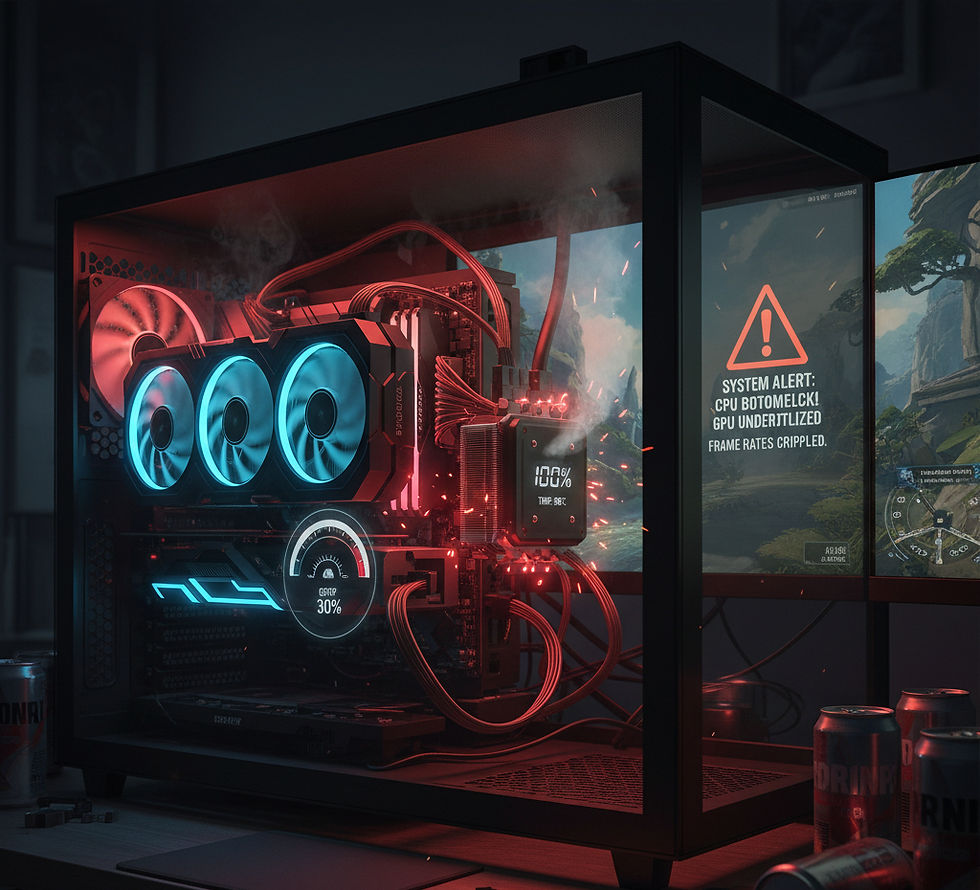
If the processor cannot generate these instructions quickly enough, the GPU may be forced to wait. This situation creates a CPU bottleneck, where the graphics card is capable of more performance but cannot fully utilize its power.
Choosing the right processor platform is therefore important for gaming performance. Many PC builders compare Intel vs AMD processors for gaming when selecting hardware for their builds.https://www.primerigtechsolutions.com/post/intel-vs-amd-for-gaming-which-cpu-is-better
The Gaming Performance Formula
Gaming performance depends on several hardware components working together.
A simple way to understand this relationship is through the following formula:
Gaming Performance ≈ GPU Power × CPU Balance × RAM Support
Each component contributes to overall performance:
GPU power determines how quickly frames can be rendered.
CPU performance determines how fast game data is processed.
RAM capacity and speed support smooth data flow between components.
If any one of these components is significantly weaker than the others, the entire system may experience reduced performance.
Memory technology can also influence gaming performance depending on the system platform. Many gamers evaluate DDR4 vs DDR5 gaming performance when choosing the right hardware configuration.https://www.primerigtechsolutions.com/post/ddr4-vs-ddr5-for-gaming-is-ddr5-really-much-faster
Real-World Gaming Performance
In real gaming scenarios, the impact of the CPU and GPU depends on the type of game and the resolution you play at.
GPU-Limited Scenarios
At higher resolutions such as 1440p or 4K, the GPU usually becomes the main performance limiter. Rendering millions of pixels per frame requires significant graphical processing power.
In these cases, upgrading the graphics card will typically produce the largest improvement in FPS.
CPU-Limited Scenarios
At lower resolutions such as 1080p, the GPU workload is lighter, and the CPU may become the limiting factor. Competitive esports titles like Counter-Strike, Valorant, and Fortnite often rely heavily on CPU performance to deliver extremely high frame rates.
Games that involve complex simulations, large open worlds, or many characters on screen can also become CPU-limited.
Understanding how different hardware configurations affect gaming performance can help prevent situations where one component restricts the performance of another.
If you suspect your system may be experiencing this issue, learning how hardware bottlenecks occur can help you diagnose performance limitations in your gaming PC.https://www.primerigtechsolutions.com/post/why-your-gpu-is-being-bottlenecked
Example Upgrade Scenarios
To understand how hardware balance affects performance, consider a few common upgrade scenarios.
Scenario 1: Weak GPU with Strong CPU
In this situation, the processor is capable of handling demanding workloads, but the graphics card struggles to render modern games.
This usually results in:
lower graphics settings
reduced frame rates
limited resolution performance
Upgrading the GPU in this scenario will typically deliver a significant performance boost.
Scenario 2: Strong GPU with Weak CPU
Here, the graphics card is powerful, but the processor cannot process game data quickly enough.
The GPU may remain partially unused while waiting for instructions from the CPU. This often results in inconsistent frame rates and reduced performance.
Upgrading the CPU can help eliminate this bottleneck.
Scenario 3: Balanced System
The best gaming performance usually occurs when both components are properly balanced.
A system where the CPU and GPU complement each other allows both components to operate efficiently, maximizing overall frame rates.
Common Upgrade Mistakes Gamers Make
One of the most common mistakes gamers make is upgrading a single component without considering the rest of the system.
For example, installing a powerful GPU in a system with an older processor may not provide the expected performance improvement.
Other mistakes include:
insufficient RAM capacity
slow memory speeds
poor cooling performance
outdated motherboard platforms
All of these factors can influence gaming performance.
Many gamers also overlook the importance of choosing the right motherboard for compatibility and upgrade flexibility. Understanding how to select the best motherboard for gaming builds can help ensure your system supports future upgrades.https://www.primerigtechsolutions.com/post/best-motherboard-for-gaming-how-to-choose-the-right-one-for-your-pc
When You Should Upgrade the GPU
Upgrading your graphics card usually makes the most sense if:
your system struggles with high graphics settings
you want to play at higher resolutions such as 1440p or 4K
newer games run at low frame rates
your GPU is several generations old
Because the GPU handles most graphical workloads, upgrading it often delivers the largest FPS improvement in modern games.
When You Should Upgrade the CPU
A processor upgrade may be necessary if:
your GPU usage is consistently low during gaming
your CPU is running at 100% usage
you experience stuttering or inconsistent frame rates
you are playing CPU-heavy games
Upgrading the CPU can improve overall system responsiveness and help unlock the full potential of your graphics card.
The Future of Gaming Hardware
Gaming hardware continues to evolve as game engines become more advanced.
New technologies such as ray tracing, AI-assisted rendering, and advanced physics simulations require both powerful GPUs and capable processors.
As games become more complex, maintaining a balanced gaming system will become even more important.
Future hardware platforms will likely continue increasing both graphical power and processing capability, allowing developers to create more immersive gaming experiences.
Final Thoughts
When comparing GPU vs CPU for gaming, the graphics card typically has the biggest impact on frame rates and visual performance.
However, the CPU remains an essential component that ensures the system can process game logic and deliver consistent performance.
The best gaming PCs are not built around a single powerful component. Instead, they rely on balanced hardware configurations where the CPU, GPU, RAM, and motherboard work together efficiently.
Understanding how these components interact will help you make smarter upgrade decisions and maximize the performance of your gaming system.
Need Help Choosing the Right Upgrade?
Upgrading a gaming PC can be confusing, especially when trying to determine whether the GPU or CPU should be upgraded first.
At Prime Rig Tech Solutions, we help gamers diagnose performance issues, upgrade hardware, and build optimized gaming PCs tailored to their needs.
Whether you’re ready to upgrade your system or just curious about improving your PC’s performance, you can still consult with us for free.
Simply fill out the booking form on our website and our team will review your system and recommend the best solution.
Frequently Asked Questions
Is the GPU or CPU more important for gaming?
In most games, the GPU has the biggest impact on frame rates because it handles graphics rendering and visual effects.
Can a weak CPU bottleneck a powerful GPU?
Yes. If the processor cannot process game data quickly enough, it can limit the performance of the graphics card.
Should I upgrade my GPU or CPU first?
Most gamers see the biggest performance improvement by upgrading the GPU first, especially when playing at higher resolutions.
How much RAM do I need for gaming?
Most modern games run smoothly with 16GB of RAM, while 32GB is recommended for streaming, multitasking, and demanding workloads.


Comments